Web Performance
Why Our Website Went Blank on iPhone (and How We Fixed It)
 Shipsar Developers
- 18 Oct 2026
- 8 min read
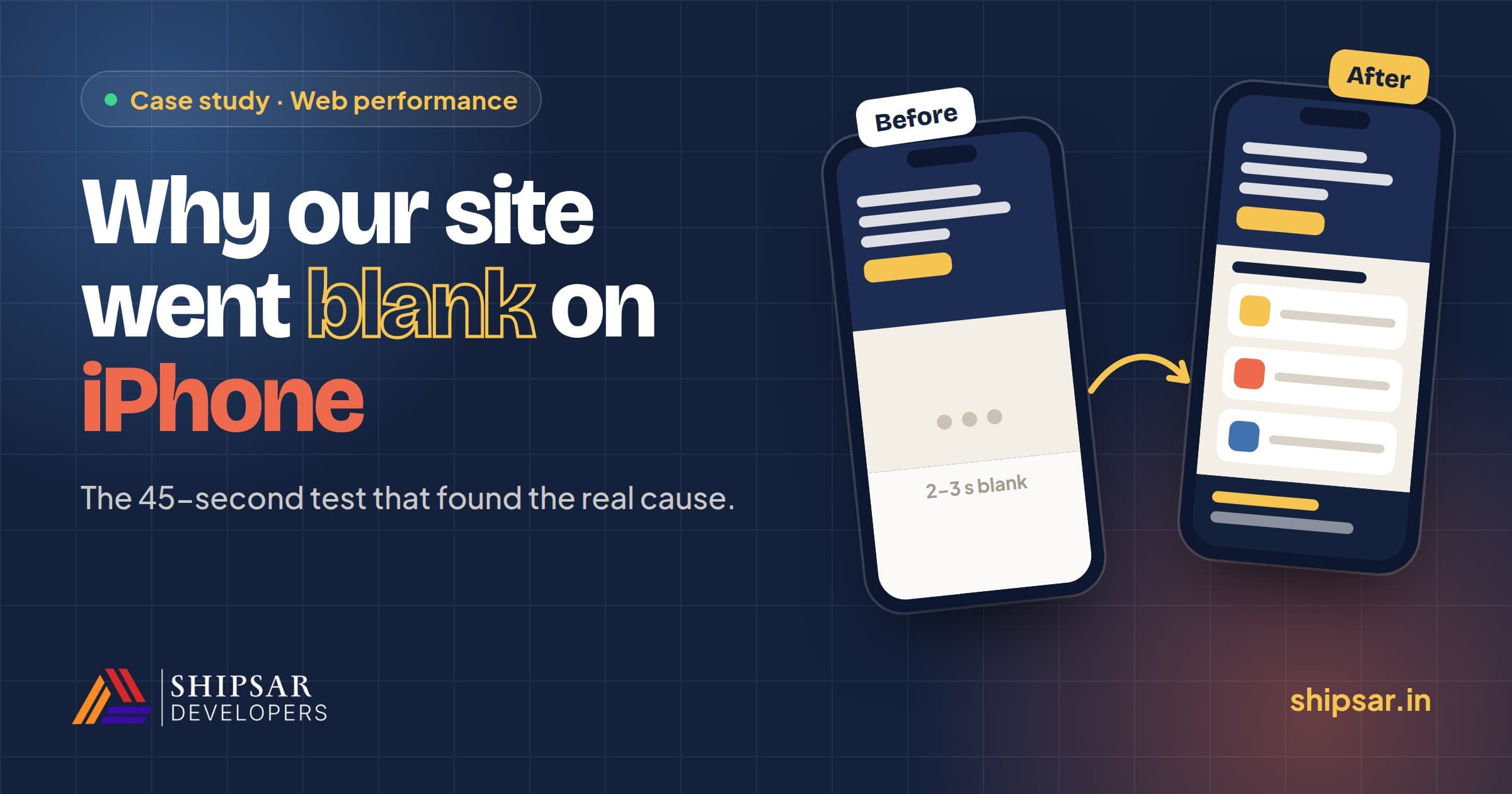
On iPhones, sections of our homepage showed up blank for 2–3 seconds every time they scrolled into view, while Android and desktop were instant. The cause wasn't slow loading. It was a subtle grain texture made with an SVG noise filter, which Safari computes on the CPU every time it paints part of the screen. We replaced it with a tiny pre-rendered image and swapped two other expensive effects for cheaper ones. The page looks the same, and on iPhone it now appears instantly.
The bigger lesson was how we found it. Several rounds of careful measurement fixed real problems but not this one. In the end, a 45-second test on a real phone pointed straight at the cause.
What did visitors see?
We found it the way a visitor would: by opening shipsar.in on a phone in an incognito tab.
- The hero took about 3 seconds to appear.
- Scrolling to the second section showed a blank cream screen, with a blank white one below it.
- After 2–3 more seconds, with no touching, everything appeared on its own.
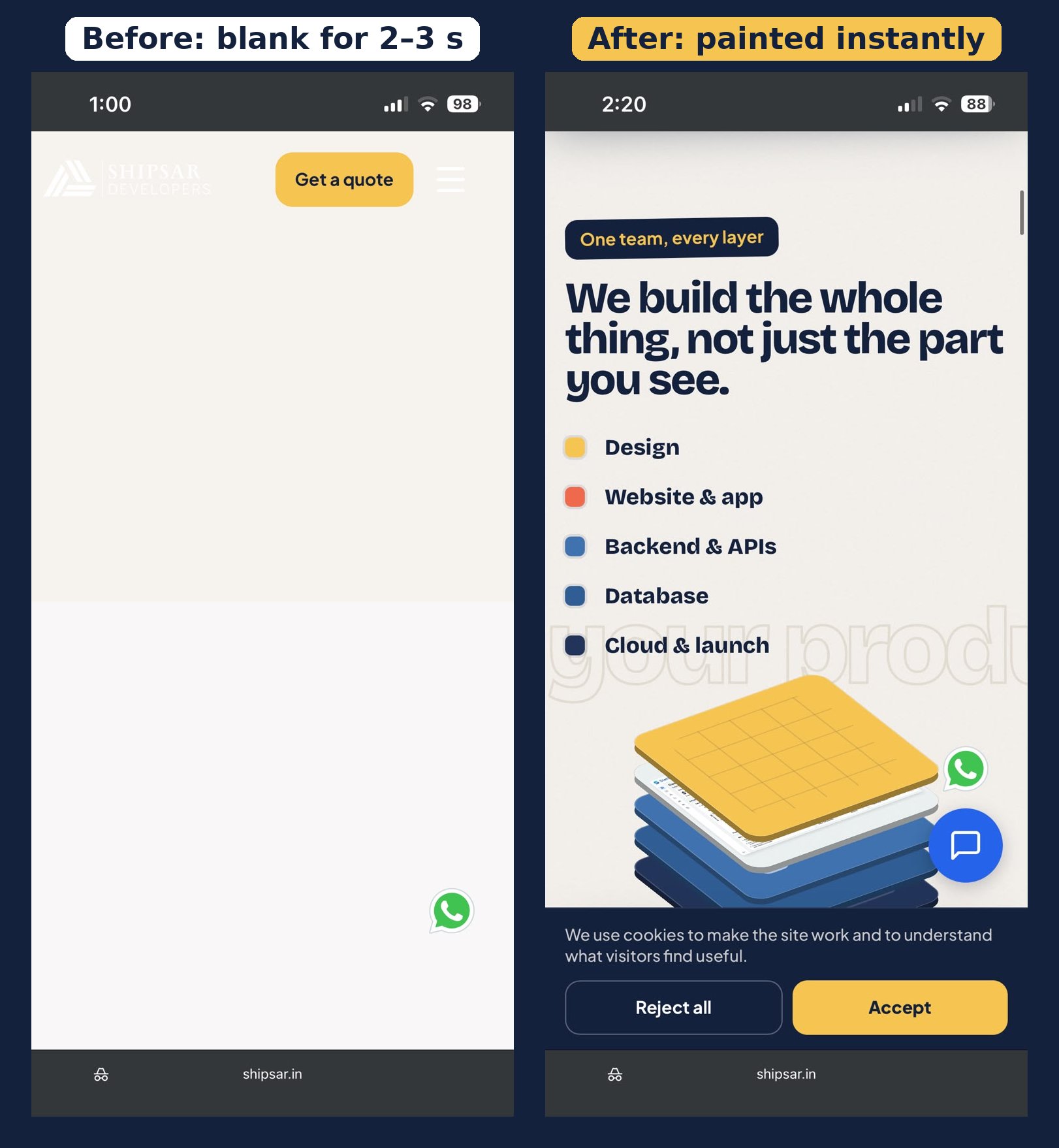
The same section on the same iPhone. Left: what visitors saw for 2–3 seconds. Right: after the fix.
Our site's job is to get founders to contact us, and most of them first see it on a phone. A visitor who sees a blank page assumes it's broken and leaves, so this mattered more than any Lighthouse score.
What did measuring in Chrome find?
We measured first and found four real problems, which we fixed, though the iPhone issue survived them. We loaded the live site in Chrome emulating a mid-range phone (4× slower CPU, throttled 4G). Then we recorded what the browser did while scrolling, switching off one effect at a time to see which one cost what.
- An empty pinned section. The second section stayed fixed on screen for 2.6 screen-heights while you scrolled, and its list was hidden until you were 22% of the way in. On a phone that's a few swipes of almost nothing, which looks exactly like a page that hasn't loaded. On phones it now scrolls normally with everything visible.
- Analytics and the chat widget loading on the first scroll. We'd deferred these scripts to keep the first paint fast, but they woke up on the first scroll, so about 500 ms of script work landed just as people started scrolling. They now load once the page is idle.
- A 3D animation that never stopped. The hero's layered 3D model "breathed" forever on touch screens. It animates a CSS variable, which the browser can't hand to the graphics chip, so it recalculated styles every frame. Switching it off cut about 60% of the style work. It now starts after 2.5 s and pauses when the hero is off screen.
- A navbar that reacted to every scroll event. Each event forced a style recalculation. It now updates at most once per frame.
| Emulated phone, 5-screen scroll | Before | After |
|---|---|---|
| Main-thread work | ~5 s | ~2.5 s |
| Style recalculation | ~1.1 s | ~0.44 s |
| Slowest 5% of frames | ~170 ms | ~75 ms |
We shipped it. Android became instant, but the iPhone was still blank.
Why was it only happening on iPhone?
Apple requires every iOS browser to use Safari's engine, WebKit, so "iPhone only" really means "WebKit only". Our test phone was running Chrome, and it didn't matter.
The blank areas were the page's own background colour, which is what WebKit shows for parts of the screen it hasn't painted yet. So the content was there; it just hadn't been drawn. The two engines handle that differently:
- Chrome on Android paints on separate threads and keeps the next screens ready in advance.
- WebKit on iPhone paints each new patch of screen as it scrolls into view, so anything expensive to paint shows up late.
What did we rule out?
We ran WebKit itself locally, emulating an iPhone 14, and removed suspects one at a time. Most of them turned out innocent:
| Suspect | How we tested it | Verdict |
|---|---|---|
| GSAP scroll animations | Blocked the library | No change in stalls |
| Analytics and chat widget | Blocked the scripts | No change |
| Images | Blocked every image | No change |
| Page size | Counted elements | 1,055 elements, normal |
| JavaScript arriving late | Held all scripts back 3 s, then scrolled | Sections still rendered fine |
| All the app's JavaScript | Blocked every chunk | Saved ~250 ms, didn't explain 2–3 s |
We followed two false leads too:
- Repeating freezes. Our first run showed the page freezing for ~300 ms every second. They came from our own screenshots, not the site.
- A flattened 3D model. Local WebKit drew the layered model as one flat slab. That turned out to be a limit of headless WebKit on Linux, which has no GPU compositing. It's useful for checking logic, but it can't reproduce how an iPhone paints.
At this point our measuring tools had done what they could. We needed evidence from the real device.
What was the 45-second test?
One simple test on the real phone split the two possible causes. If the iPhone was still busy starting up the JavaScript when you scrolled, waiting first would fix it. If Safari was slow to draw the sections themselves, waiting wouldn't help.
- Open the site in a fresh incognito tab.
- Wait 45 seconds without touching anything.
- Scroll down. If it's instant, the cause is start-up cost (fix: send less JavaScript). If it's still blank, the cause is paint cost (fix: cheaper visual effects).
It was still blank for 2–3 seconds. That ruled out loading entirely: the problem was how expensive the page was to paint.
What was the root cause?
Once we knew it was paint cost, the pattern was obvious: every section that went blank had our grain texture. So did the hero, which was the part that took 3 seconds.
The grain wasn't an image. It was an SVG noise filter (feTurbulence) written inline in the CSS, with a blend mode on top. The browser generated the noise itself. That's cheap for Chrome, which caches the result on the GPU, but Safari computes SVG filters on the CPU. On a 3× retina screen it redid that work for every patch of a section as it scrolled into view, and some sections were over 2,000 pixels tall.
Two other effects added to the load:
- Huge blurred colour circles in the hero. Three of them, up to 672 px wide with a 110 px blur. Large blurs are among the most expensive things a browser draws.
- Brightness filters inside the 3D model. Ten small filters inside a 3D scene, which Safari also renders slowly.
How did we fix it without changing the design?
We kept every visual effect and changed how each one is drawn:
| Effect | Before | After |
|---|---|---|
| Grain texture | SVG noise filter + blend mode, computed in the browser | 160 px noise tile (22 KB PNG) rendered from the same filter, shown at 5% opacity |
| Hero colour glows | Solid circles with 90–120 px blur | Radial gradients that fade to transparent |
| 3D model slab edges | filter: brightness(.62) | A dark inset shadow |

The new grain: one 160 px tile (22 KB), shown here repeated 3 × 3. On the site it sits over each section at 5% opacity, so Safari only has to draw a picture instead of computing noise.
We made the noise tile by rendering the original SVG filter once, converting it to 8 levels of grey, and matching its opacity by comparing screenshots side by side. In those comparisons the hero and second section look the same before and after. The change came to three files and one image.
On a real iPhone the hero now appears faster and the sections below are already painted when you scroll to them. Android and desktop stayed instant.
What should other teams take from this?
- Test on a real iPhone, not just in Chrome's device mode. Chrome's phone emulation is still Chrome. Every iOS browser is WebKit, and WebKit paints differently.
- Design for how long things take to draw, not only how big they are. Our page was small and light, yet a 1 KB line of CSS was costing 2–3 seconds on iPhone.
- Be wary of SVG filters, large blurs and blend modes on long pages. Pre-render textures as images and use gradients for glows. The look is the same and the cost is close to nothing.
- Each round fixed something real, even when it missed the main problem. Round 1 fixed four genuine issues and made Android instant. It just wasn't the iPhone bug.
- When the tools stop agreeing with reality, design a simple experiment on the real device. Ours took 45 seconds and settled what hours of profiling couldn't.
- Don't hide a slow page behind a loading screen. We considered a 2-second splash animation. It would have made every visitor wait and still left the blank sections.
Is your website slow on phones?
If your site feels slow or looks broken on iPhone and you can't work out why, we can find it. We build fast, SEO-ready websites for startups and businesses, and we test on real phones, not just emulators. Start with a free website audit, or get in touch.
Planning something like this?
Tell us what you want to build and get a fixed-price quote. A senior engineer replies within 4 working hours.